
You write a careful description for a page, publish it, and a week later Google is showing a cut-off version that ends mid-sentence — or a random line pulled from the middle of your page instead. Both problems usually come down to the same thing: length, and where your important words sit inside it.
So, how long should a meta description be? This guide gives you the working numbers for descriptions and title tags, explains why the real limit is measured in pixels rather than characters, and shows you how to write descriptions that survive both truncation and Google’s habit of rewriting them.
The short answer
Aim for 120 to 155 characters for a meta description, and 50 to 60 characters for a title tag (character counts here include spaces). That is the range that normally displays in full on desktop search results, and it is short enough that the important part still shows on mobile, where less text is visible.
| Element | Aim for | Roughly where it gets cut |
|---|---|---|
| Meta description | 120–155 characters | ~155–160 characters on desktop, sooner on mobile |
| Title tag | 50–60 characters | ~60 characters |
Treat these as safe working ranges, not laws. Google has never published an official character limit for either element — its own documentation says there is “no limit on how long a meta description can be, but the snippet is truncated in Google Search results as needed, typically to fit the device width.” The ranges above are simply where truncation usually starts, which is what you actually need to know when you are writing.
Why Google counts pixels, not characters
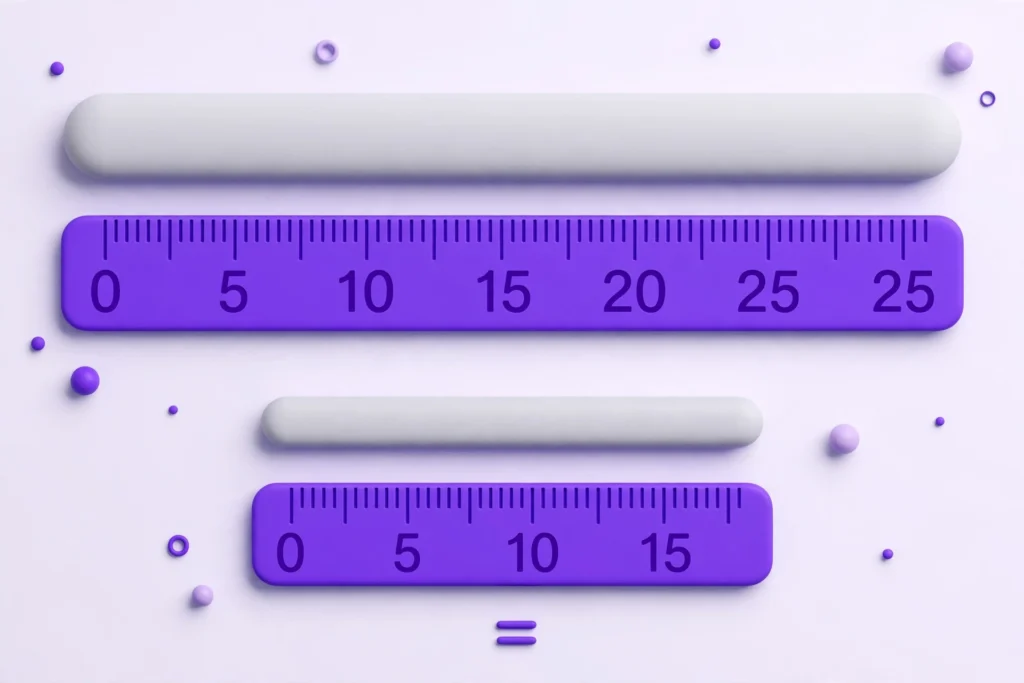
Google does not measure your description in characters at all. It measures the rendered width of the text in pixels, and cuts the snippet when it runs out of room — roughly 920 pixels for a desktop description and about 600 pixels for a title.
That is why two descriptions with exactly the same character count can display differently. Letters take up different amounts of space: a description full of narrow letters like i, l and t fits more characters than one full of wide letters like m, w and capital letters. Character counts are a reliable guide — they are what everyone uses, and what the ranges above are built on — but the pixel width is the real rule underneath. If your text is heavy on wide characters and capitals, stay toward the lower end of the range.
Mobile adds one more wrinkle: phone results are narrower, so descriptions are cut earlier there. The practical fix is not a separate mobile version (you only get one description per page) — it is putting your most important words first, which the next sections keep coming back to.
How long should a title tag be?
Your title tag gets 50 to 60 characters of safe room. Go much beyond that and Google starts trimming the end — which is usually where your brand name or a useful qualifier sits.
Three habits keep titles intact:
- Put the main topic first. If anything gets cut, it should be the least important words, not the subject of the page.
- Say what the page is, specifically. “Beginner Photography Course — Learn Camera Basics” tells a searcher more than “Welcome to PhotoWorld” at the same length.
- One page, one title. Duplicate titles across pages make every one of them weaker, because searchers (and Google) cannot tell the pages apart.
Titles and descriptions also work as a pair. The title says what the page is; the description’s job is to earn the click by saying what the reader gets. Repeating the title word-for-word inside the description wastes the space you just measured so carefully.
What happens when a description is too long — or too short
Too long is the more common problem. Anything past the cut-off disappears behind an ellipsis, and it rarely disappears politely. Here is a real example of a 242-character description, and roughly where it would be cut on a phone:
“Learn photography with our complete beginner photography course covering camera settings, lighting, composition, portrai…”
The sentence never lands. The benefits list is chopped in the middle of a word, and the part that might have convinced someone to click — the lessons, the examples, the certificate — never appears at all.
Too short is quieter but just as wasteful. This description is only 62 characters:
“Welcome to our website. We sell shoes and other things online.”
It fits easily, but it gives Google very little to work with and the searcher almost nothing: no reason to choose this result over the nine others. Very short or vague descriptions are also more likely to be ignored and replaced with text pulled from the page.
The middle ground looks like this — 135 characters that say what the page does, who it helps, and what it costs (nothing):
“Count words, characters and reading time in any text, free in your browser — no sign-up needed, and your text never leaves your device.”
Why Google rewrites your description anyway
Even a perfectly sized description is not guaranteed to be the one Google shows. Google often builds the snippet from your page’s content instead, choosing text it thinks matches the specific search better. One large study of live search results found this happened to about 63% of meta descriptions.
That sounds like a reason to give up on writing them. It is actually a reason to write them slightly differently:
- Make the first 120 characters a complete thought. Whether Google uses your description in full, cuts it for mobile, or lifts it partly, the opening should stand on its own: what the page offers, in plain words, no build-up.
- Write page copy worth quoting. When Google does rewrite, it quotes your page. Clear sentences that describe the page’s topic — especially near the top — become good snippets. Vague filler becomes an awkward one.
- Match the description to the page. Rewrites are more likely when the description is missing, duplicated across pages, stuffed with keywords, or promises something the page does not deliver.
You cannot control which snippet Google shows. You can control whether both options — yours and the one it builds — say something accurate and appealing.
How to write one that fits: a five-step workflow
- Draft it in full, without counting. Write two honest sentences about what the page offers and who it helps.
- Count it. Check the character count before you trim — guessing is how descriptions end up at 240 characters. A free meta description length checker does this instantly and shows a search-result preview at the same time.
- Front-load the value. Move the most useful words into the first 120 characters.
- Cut filler, not meaning. Delete throat-clearing (“Welcome to…”, “In this article we will…”), repeated ideas, and adjectives that add length without information.
- Read the cut version. Truncate your draft at 120 characters mentally. If what remains still makes sense and sounds appealing, it is ready.
Here is the photography description from earlier, edited with those steps — 242 characters down to 139, with nothing important lost:
Before (242 characters):
“Learn photography with our complete beginner photography course covering camera settings, lighting, composition, portraits, landscapes, editing and much more, with practical lessons, real examples and a certificate when you finish the course.”
After (139 characters):
“Learn photography step by step: camera settings, lighting and composition, with practical lessons and real examples for complete beginners.”
The “after” version actually says more that matters — it names the audience and the format up front — in a little over half the space. For more checking tools like this one, the SEO tools collection covers titles, descriptions, snippets and sharing previews.
Frequently asked questions
Is a meta description a ranking factor?
Not directly — Google does not use the description text to decide where a page ranks. Its influence is on the click: a clear, relevant description wins more clicks from the same position, which is why it is still worth writing well.
What happens if I don’t write a meta description at all?
Google generates a snippet from your page content. Occasionally that works out fine, but you are leaving the wording of your own search result to chance — and the generated snippet is often an awkward fragment. Writing your own takes a minute and gives you the better default.
Does every page need a unique meta description?
Every important page, yes. Duplicated descriptions tell the searcher nothing about how the pages differ, and Google may ignore them entirely. For very large sites, at minimum write unique descriptions for the pages you actually want people to find.
Is the ideal length different on mobile and desktop?
The space is different — mobile shows less — but you only write one description. Writing to 120–155 characters and front-loading the key message covers both: desktop usually shows it in full, and the part mobile shows still makes sense.
Check your own descriptions before you publish
Length is the easiest SEO problem to fix because you can see it before it costs you anything. Draft your description, count it, read the first 120 characters on their own — and if it still sounds like a reason to click, publish it.
You can check any description or title in seconds with the free Meta Description Length Checker: it counts characters, shows how the snippet will look, and runs entirely in your browser. You will find it alongside the rest of the free online tools on Manage My Tools.
Pingback: What Is a Canonical URL? Common Mistakes Explained
Pingback: What Are Open Graph Tags? How Your Link Looks When Shared